If you write blog posts, newsletters, product articles, or social content regularly, the slowest part is often not the writing itself.
It is the scattered research.
One link lives in your bookmarks. One screenshot sits on your desktop. A useful example is buried in a chat thread. A good image reference is in a download folder with no source. When you finally sit down to write, you end up searching for the same things again.
That is why a content library matters. A content library is not just a storage folder. It is the memory layer of a repeatable writing workflow. It keeps web pages, images, quotes, examples, search results, and ideas close enough to be reused in future articles.
What Is a Content Library?
A content library is a structured place to collect and reuse the materials that support content creation.
It can include:
- source articles
- research links
- industry reports
- data points
- product pages
- competitor examples
- screenshots
- image references
- reusable paragraphs
- visuals that can later become article images, knowledge cards, or slides
The important difference is intent.
A cloud drive answers: where did I put this file?
A content library answers: how can I use this material in the next article?
If a saved link cannot be found, understood, or reused later, it has not really become an asset. A good content library supports writing, visuals, SEO, and content reuse.
Why Creators Need a Content Library
I used to write with a very familiar workflow.
Open Google. Search for references. Open ten tabs. Copy a few links. Save some images. Start writing. Then, halfway through the article, I would remember a useful source but forget where it came from.
That creates three problems.
First, repeated research. Similar articles require the same search process again and again.
Second, weak evidence. If you cannot find the original source, you either remove the point or write it in a vague way.
Third, lost reuse value. The same research could support a blog post, a newsletter, a slide deck, and a social post, but only if it is saved in a reusable form.
A content library solves this by turning research into a durable content asset. Every useful source, image, quote, and example can serve more than one piece of work.
Step 1: Organize by Writing Context, Not Just File Type
Many people start by creating folders:
- images
- reports
- links
- competitors
- ideas
That is better than chaos, but it is not always ideal for writers. When you are drafting an article, you are usually not looking for a file type. You are looking for material that supports a specific argument.
A stronger structure starts with the writing context:
- What problem is this article solving?
- Who is the reader?
- What evidence do I need?
- Which images can explain the idea?
- Which materials may be useful again later?
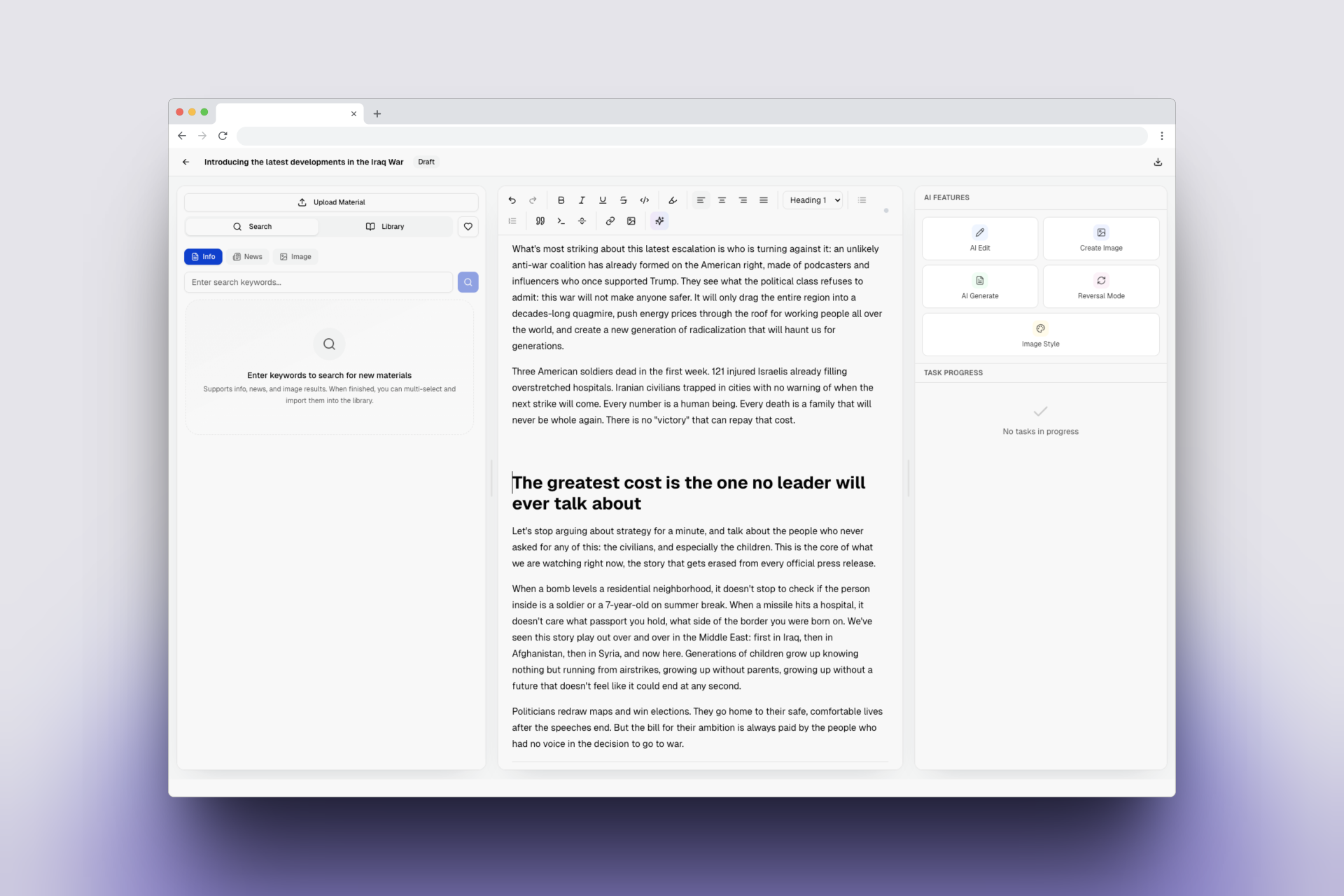
In JoyfulWords, I prefer to collect materials around the article itself. The editor has a material area beside the writing surface, so web references and images can be searched and saved while the article is still taking shape.
That keeps the material close to the idea. When the article later needs an example, image, citation, or slide, the source is already there.
Step 2: Separate Research Materials from Visual Materials
Most content materials fall into two groups.
Research materials include articles, news, reports, product pages, user comments, and data sources. They support the argument and make the article more credible.
Visual materials include cover images, screenshots, illustration references, diagrams, and images that can be restyled or rebuilt. They support readability and help readers understand complex ideas faster.
If these two groups are mixed together, the library becomes harder to use. During writing, you need evidence. During visual creation, you need image references. They serve different moments in the workflow.
JoyfulWords keeps this simple with material types such as info, news, and image. The taxonomy is not complicated, but it is practical enough to keep a content library usable.
Step 3: Save the Title, Source, and Reason
The easiest way to break a content library is to save materials without context.
An image named image.png tells you nothing. A link called Untitled becomes almost useless after a week. A screenshot without a source may be visually helpful, but difficult to verify later.
When saving a material, keep at least three things:
- a readable title
- the original source URL
- the reason it may be useful
This is especially important for SEO content. Search-friendly articles are not better because they are longer. They are better because they answer the search intent with clear structure, concrete examples, and trustworthy supporting material.
The content library is where that supporting material starts.
Step 4: Bring the Library into the Writing Workflow
Many content asset management tools are good at saving things, but far away from writing.
You save links in one app, write in another, generate images somewhere else, and then move everything back into the final article. Each switch feels small, but together they break focus.
I prefer to keep the content library inside the writing workflow.
When I need evidence, I can pull from saved materials. When I need an image, I can choose from visual references. When I ask AI to improve a section, the material context is already nearby.
That is the reason JoyfulWords treats materials as part of the editor, not as a separate archive. The library supports active writing, not just post-project cleanup.
Step 5: Turn Materials into Reusable Content Assets
A mature content library should support more than one output.
An industry report can support a long-form SEO article and later become a paragraph in a newsletter.
A set of image references can help create a blog cover and later guide an AI-generated visual.
A finished article can become a slide deck, a knowledge card, or a shorter social post.
That is the real meaning of content reuse. It is not reposting the same thing everywhere. It is allowing one set of researched materials to create value across multiple formats.
If you are building SEO content, read SEO Content Workflow: From Research to Publishable Article. If you care about visuals, continue with How to Add AI Images to Articles. A content library sits between those two workflows: it collects the evidence and visuals before they become polished content.
Common Mistakes
Saving Without Organizing
More saved links do not mean a better content library. Without title, source, and context, saved materials quickly become noise.
Keeping Images Without Sources
Images can inspire a visual direction, but the source still matters. Even if you later restyle or rebuild an image with AI, you should know where the reference came from.
Treating the Library as an Archive
A content library should not only appear after the article is finished. It should support research before writing and decision-making during writing.
Having No Reuse Path
If materials cannot flow into articles, visuals, slides, or knowledge cards, their value is locked away.
FAQ
What is the difference between a content library and a content calendar?
A content calendar helps you plan when and what to publish. A content library helps you collect the sources, visuals, examples, and reusable materials needed to produce that content.
Is a content library useful for solo creators?
Yes. Solo creators often benefit even more because they have less time and fewer teammates. A small but organized content library reduces repeated research and protects useful ideas from disappearing.
What should I put in a content library?
Start with source links, screenshots, image references, data points, quotes, examples, and reusable article sections. The goal is not to save everything. The goal is to save what can support future content.
Do AI writing tools still need a content library?
Yes. AI can help with structure and wording, but strong content still depends on evidence, examples, source material, and judgment. A content library gives AI-assisted writing better context.
Final Takeaway
If you only write occasionally, temporary research may be enough.
But if you publish regularly, build SEO content, write newsletters, create product articles, or turn articles into presentations, a content library becomes infrastructure.
It keeps research from disappearing. It keeps images connected to their purpose. It gives your arguments better evidence. It makes content reuse natural instead of forced.
Inside JoyfulWords, you can search materials, save sources, manage images, write with AI, create visuals, and turn articles into PPT in one workflow. The point is not to let AI replace your thinking. The point is to stop moving research between disconnected tools and keep your attention on the message you want to publish.
Visit JoyfulWords and start turning your research, images, and ideas into a reusable content library.